

Mr. Tikki logo

Mr. Tikki

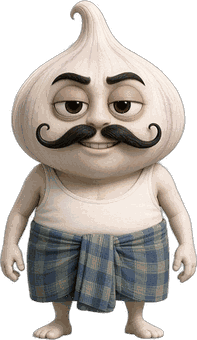
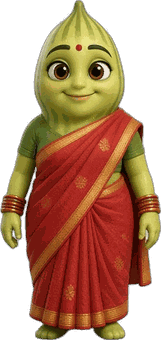
Color & Stories from Aluganj

Hello, friend! What shall we do today?
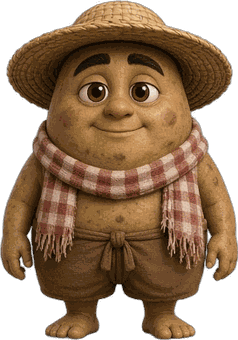
Alumia the potato waving hello

My stickers 0/20

Finish a page or a story to win a sticker!

←

Pick a page to color

←

←

Story time

←

←

For parents

The grown-ups’ corner

For parents & grown-ups

Stories, useful reading and practical help for your family. The children’s app stays completely ad-free. The separate parent website may show ads.

অভিভাবকদের জন্য গাইড, ব্লগ, সাহায্য ও রং করার পাতা। শিশুদের অ্যাপে কোনো বিজ্ঞাপন নেই।

Latest from the blog

✅ Child-safe: no ads, no data collected

Mr. Tikki Color & Stories is a small, calm app for young children (about 3–8 years), in English and Bangla. Kids can color pictures of the Aluganj friends and listen to 12 short read-aloud stories, each with a simple lesson about kindness, sharing, honesty, bravery, teamwork and more.

What this version does

  • No ads, no in-app purchases, no sign-up, no chat.
  • No data collected. There is no analytics or tracking, and no cookies. Nothing your child does is sent anywhere.
  • Works offline after the first visit. Pictures, stories and audio are stored on your device only.
  • Drawings are saved automatically on this device (in the browser's own storage), so your child can come back to an unfinished page. They are never uploaded. “Start over” 🗑️ clears a page after a confirm step.
  • Stickers your child wins and the chosen language are also kept only on this device.
  • The 💾 button saves a copy of the picture to your device's downloads or photos. We never see it.
  • Links to our YouTube channel and parent website are behind a grown-up check. The parent website may show ads; the kids' app stays ad-free.
  • Clearing the browser's site data for this app removes saved drawings, stickers and settings.

About the stories

All characters and stories are original to the Mr. Tikki / Aluganj Stories series by Shoort Media. Pictures and voices (English and Bangla) are made with AI tools and checked by our team.

Tips

  • Tap 🪣 then tap a shape to fill it. Use 🖌️ to paint and 🧽 to erase. ↶ undoes.
  • Tap ⭐ Done! when a picture is finished to win a sticker.
  • Switch between English and বাংলা on the home screen.
  • On a phone, use “Add to Home Screen” to install the app.

For parents: guides, activities and free printables (grown-up check; parent website may show ads)

Read the full Privacy Policy

Contact: hello@shoortmedia.com

✅ শিশুদের জন্য নিরাপদ: কোনো বিজ্ঞাপন নেই, কোনো তথ্য নেওয়া হয় না

মিস্টার টিক্কি: রং আর গল্প ছোট শিশুদের (প্রায় ৩–৮ বছর) জন্য একটি ছোট, শান্ত অ্যাপ, ইংরেজি আর বাংলায়। শিশুরা আলুগঞ্জের বন্ধুদের ছবিতে রং করতে পারে আর ১২টি ছোট ছোট গল্প শুনতে পারে। প্রতিটি গল্পে দয়া, ভাগাভাগি, সততা, সাহস, একসাথে কাজ করা আর আরও অনেক কিছুর একটা সহজ শিক্ষা আছে।

এই সংস্করণে যা আছে

  • কোনো বিজ্ঞাপন নেই, অ্যাপের ভেতরে কেনাকাটা নেই, সাইন-আপ নেই, চ্যাট নেই।
  • কোনো তথ্য নেওয়া হয় না। কোনো অ্যানালিটিক্স, ট্র্যাকিং বা কুকি নেই। আপনার শিশু যা করে, তার কিছুই কোথাও পাঠানো হয় না।
  • প্রথমবার খোলার পর ইন্টারনেট ছাড়াই চলে। ছবি, গল্প আর অডিও শুধু আপনার ডিভাইসেই রাখা থাকে।
  • আঁকা ছবি এই ডিভাইসেই নিজে থেকে সেভ হয় (ব্রাউজারের নিজস্ব স্টোরেজে), তাই শিশু অসমাপ্ত ছবিতে আবার ফিরে আসতে পারে। এগুলো কখনো আপলোড হয় না। “আবার শুরু” 🗑️ চাপলে নিশ্চিত করার পর ছবিটা মুছে যায়।
  • শিশুর পাওয়া স্টিকার আর বেছে নেওয়া ভাষাও শুধু এই ডিভাইসেই থাকে।
  • 💾 বোতাম চাপলে ছবির একটা কপি আপনার ডিভাইসের ডাউনলোড বা ফটোতে সেভ হয়। আমরা তা কখনো দেখি না।
  • আমাদের ইউটিউব চ্যানেল ও অভিভাবকদের ওয়েবসাইটে যাওয়ার লিংক “বড়দের যাচাই” দিয়ে সুরক্ষিত। অভিভাবকদের ওয়েবসাইটে বিজ্ঞাপন থাকতে পারে; শিশুদের অ্যাপে কোনো বিজ্ঞাপন নেই।
  • ব্রাউজারে এই অ্যাপের সাইট-ডেটা মুছে দিলে সেভ করা ছবি, স্টিকার আর সেটিংস মুছে যাবে।

গল্পগুলো সম্পর্কে

সব চরিত্র আর গল্প শুর্ট মিডিয়ার মিস্টার টিক্কি / আলুগঞ্জের গল্প সিরিজের নিজস্ব। ছবি আর কণ্ঠ (ইংরেজি ও বাংলা) এআই টুল দিয়ে তৈরি এবং আমাদের দল যাচাই করেছে।

কিছু টিপস

  • 🪣 চেপে একটা জায়গায় ছুঁলে রং ভরে যায়। 🖌️ দিয়ে আঁকো, 🧽 দিয়ে মোছো। ↶ চাপলে আগের অবস্থায় ফেরে।
  • ছবি শেষ হলে ⭐ শেষ! চাপো, একটা স্টিকার পাবে।
  • হোম স্ক্রিনে English আর বাংলার মধ্যে বদলানো যায়।
  • ফোনে “Add to Home Screen” দিয়ে অ্যাপটি ইনস্টল করতে পারেন।

অভিভাবকদের জন্য: গাইড ও রং করার পাতা

পুরো গোপনীয়তা নীতি পড়ুন

যোগাযোগ: hello@shoortmedia.com